✦ Studio-Tipp
guide
How to turn a Black Friday sale into a haul video. A delivery box opens on your products, each one drops into a bag with its sale price, and it ends on the total saved. What to show, in what order, and how to make it from product photos.
29. Okt. 2026 · 3 Min. Lesezeit
Diese Anleitung gibt es noch nicht in deiner Sprache, daher wird sie auf Englisch angezeigt.
Hauls and unboxings are among the most-watched formats around Black Friday. People like watching someone open a box and go through what they got. Marketers' reviews of past seasons put hauls, try-ons and unboxings ahead of ordinary product ads on engagement. Read those numbers as a direction, not a promise. A haul feels like a person showing their shopping, not a brand selling.
For a shop, the haul has one extra job: make the saving obvious. A haul ad that ends on "You saved $22.20" does that.
| Time | On screen | Why |
|---|---|---|
| 0–5 s | A delivery box on a table. Hands pull the tape, open the flaps and push the tissue aside, and your products are inside. Caption: "My Black Friday haul". | The unboxing is the hook: people wait to see what's inside. |
| 5–6 s | The shot darkens and a shopping bag with your brand rises. | It switches from "what arrived" to "what it cost". |
| ~1.3 s per product | Each product pops up with its name, the old price struck through and the sale price, then drops into the bag. The savings at the top count up. | Every product gets its own price, and the counter keeps people watching. |
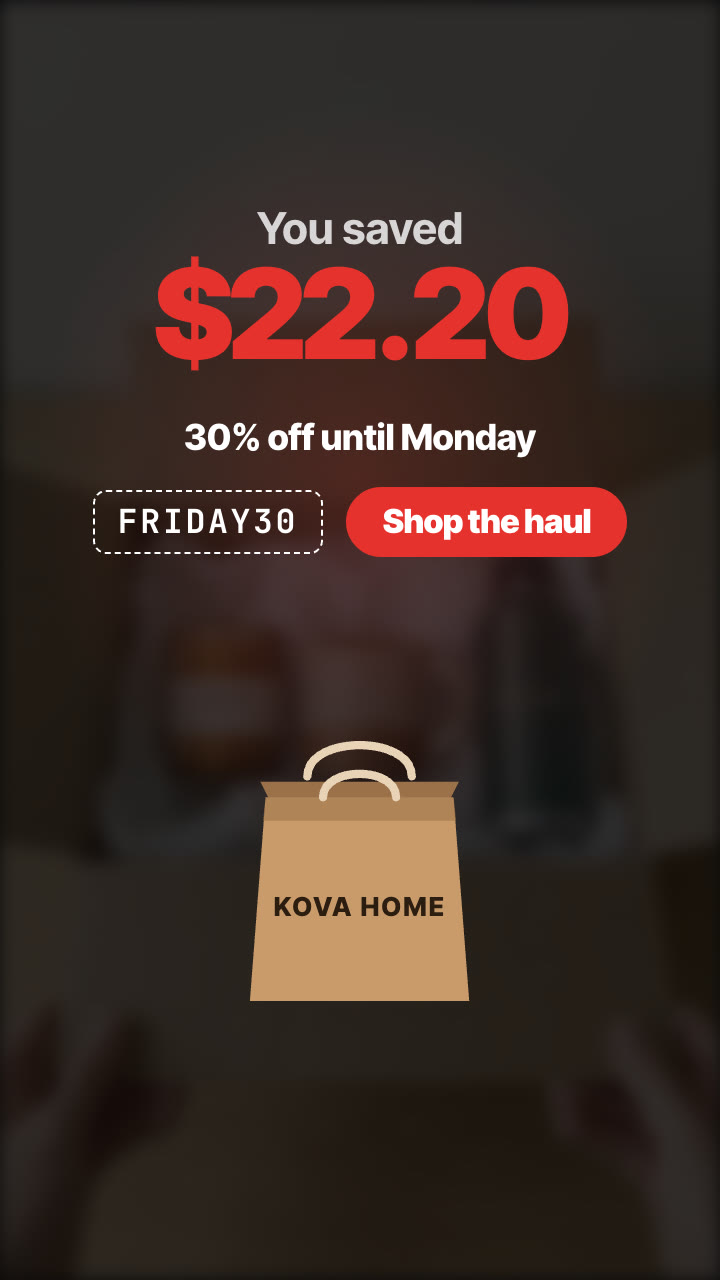
| Last 3 s | The total saved, big, then the deadline, the code and the CTA. | It ends on the number and what to do next. |
The Unboxing Haul Skill makes the whole ad from photos of your products and their prices:
Make a Black Friday unboxing haul for Kova Home with our candle ($24 → $16.80), mug ($18 → $12.60) and bottle ($32 → $22.40). Caption "My Black Friday haul", 30% off until Monday, code FRIDAY30, button "Shop the haul". Vertical and 4:5.
Your agent puts your products into a delivery box in two keyframes with Nano Banana 2 (the box closed and taped, then open with your products in tissue paper) and shows them to you. Then Kling 2.5 Turbo animates the hands opening it. That costs about $0.51 in model usage on your own API key. The haul, the prices and the total are drawn on your machine, so they're exactly what you typed, in any language and currency. See the sample ad.
Any clear product photo works: the Skill cuts each product out for the haul, so they drop cleanly into the bag. A plain background gives the cleanest edges.
Does the AI write the prices? No. The AI makes only the unboxing shot. Every price and the total are drawn by the template from what you typed.
What if one item is a free gift? Write the total saved yourself and the counter will show it.
How long is it? About 12 seconds with three products: 5 for the unboxing, about 1.3 per product, and 3 for the ending.