無料
guide
The last second of a Reel is your best chance to win a follower. How to add an Instagram-style profile card and Follow tap, free, with the Follow Card (Photo App) block.
2026年11月3日 · 約1分で読めます
このガイドはまだお使いの言語に対応していないため、英語で表示しています。
Viewers follow when they are asked at the right moment, clearly. A profile card that springs up with your avatar, name and follower count, and a Follow button that taps to Following, is the clearest ask there is.
| Habit | Why it works |
|---|---|
| A clear avatar | Your logo or hero product, square and simple |
| A rounded count | 48.2K reads faster than 48,213 |
| The lower third | Keep the card out of the way of your subject |
| Over your best frame | End on the product or the moment people liked |
| One ask only | Follow, nothing else, in the last seconds |
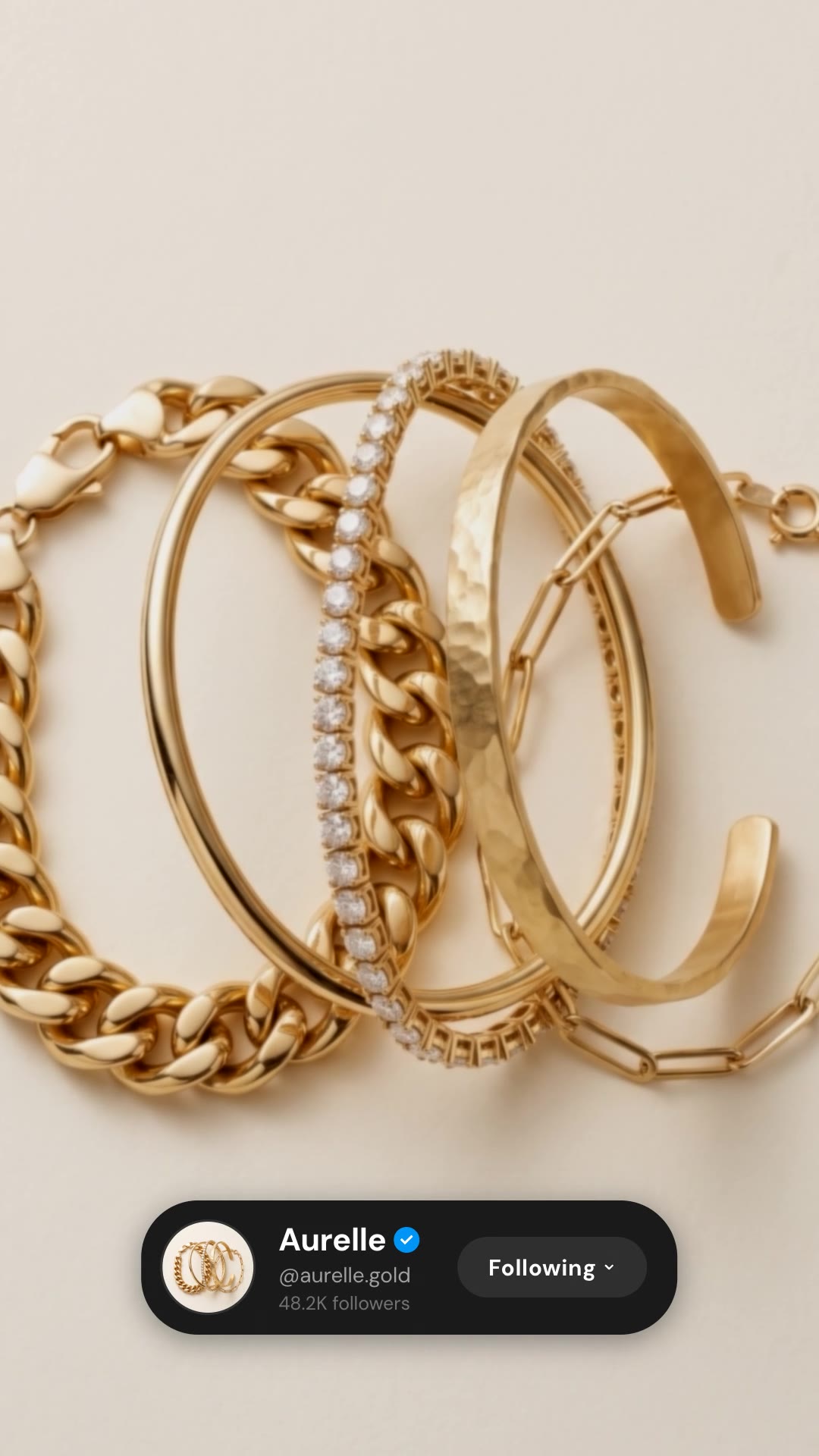
Follow Card (Photo App) is a free, open-source HyperFrames block. An Instagram-style profile card pops up with your avatar, name and follower count, and the Follow button flips to Following. Ask your agent:
Make an Instagram-style follow card for Aurelle (@aurelle.gold, 48.2K followers) over our bracelet shot.It renders a 4.5-second 1080×1920 overlay with a transparent background.
For another take on the same idea, see Follow Card (Video App).