Grátis
guide
The best product promos are filmed on the real page, not a mock-up. The shot list that works for online shops and apps, how to keep text sharp when the camera moves, and how to make one with the open-source Shotcraft Skill.
1 de nov. de 2026 · 2 min de leitura
Este guia ainda não está disponível no seu idioma, por isso aparece em inglês.
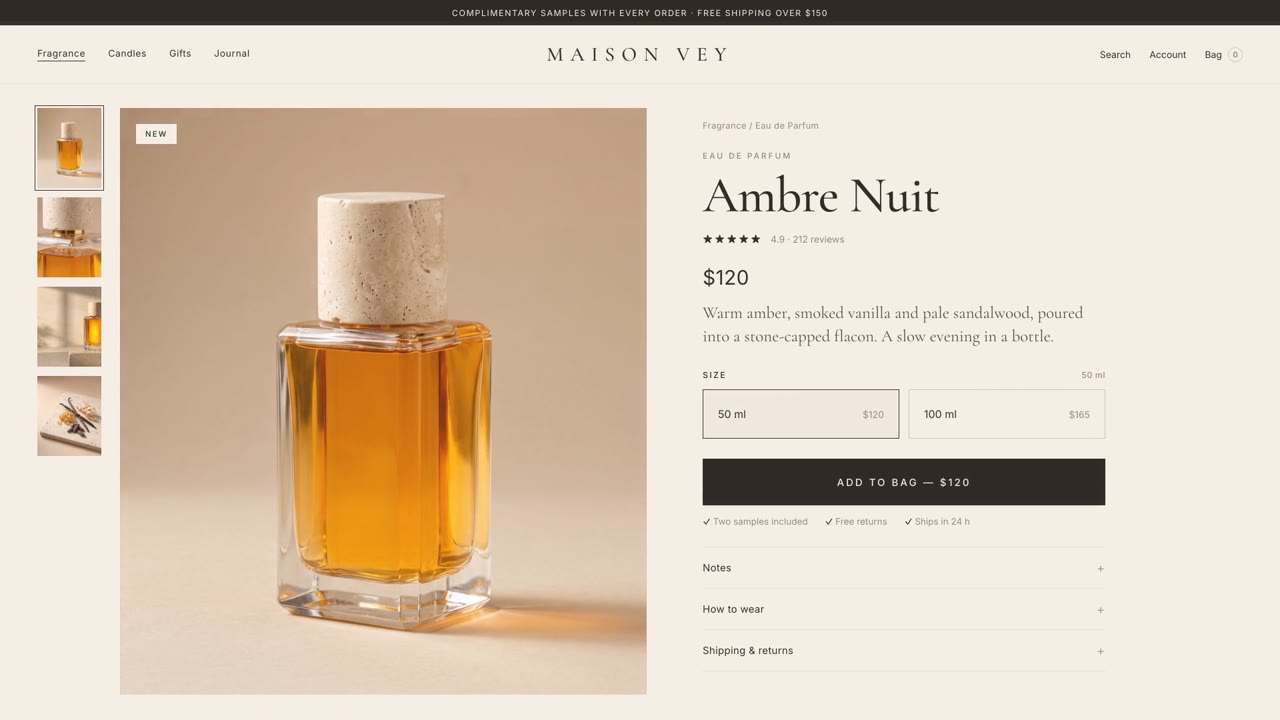
Your product page already has everything a promo film needs: a hero image, a name, a price, the choices people make and the button they press. Filming that real page, with a camera that moves through it the way a motion designer would, looks more premium and more honest than a stock phone mock-up, and it shows customers exactly what they will see when they click.
| Time | Shot | What it does |
|---|---|---|
| 0–3 s | Brand open | The name settles on screen; a calm promise of what's coming |
| 3–8 s | Close-up rising to the full page | Starts on the product, pulls back to the page around it |
| 8–11 s | One line of copy | A breath between the product and the details |
| 11–14 s | The details drop into place | Notes, materials or specs land row by row |
| 14–17 s | A choice | A cursor picks a size or colour and the price or photo changes |
| 17–22 s | Add to bag | The cart slides in and fills field by field |
| 22–27 s | Checkout and logo | The interface clears away and the name lands |
Every shot does one thing. Hold each moment long enough to read: about a second on the logo, half a second after any burst of motion.
A soft whoosh as the camera rises, a real mouse click on each press, a paper slide for the cart and a gentle shimmer under the logo. Pin each sound to the frame where the action peaks, and keep music low enough to hear the clicks.
Shotcraft Product Promo is a free, open-source Skill that does all of the above for your website, web app or online shop. Ask your agent for a promo and it:
The two samples on the Skill page were made this way from sample online shops for our house fragrance and handbag.