免費
guide
Your app's notifications are the clearest proof of what it does. How to turn four of them into a vertical ad, free, with the Notification Cascade block.
2026年11月3日 · 閱讀約 1 分鐘
這篇指南暫未提供你的語言版本,因此以英文顯示。
An app ad has one job: show what the app does for you, fast. Screens and feature lists are slow. Notifications are instant: each one is a small, real result. Four of them in a row tell a whole story.
| Habit | Why it works |
|---|---|
| A sequence, not a list | Each line follows from the last: it started, it changed, it finished, it paid off |
| The payoff last | End on the number or result people care about, like money or time saved |
| One line each | Around 40 characters reads at a glance on a phone |
| Your real app name | The notification header is your brand, repeated four times |
| A two-part end headline | A short setup and an accent line land the message after the stack |
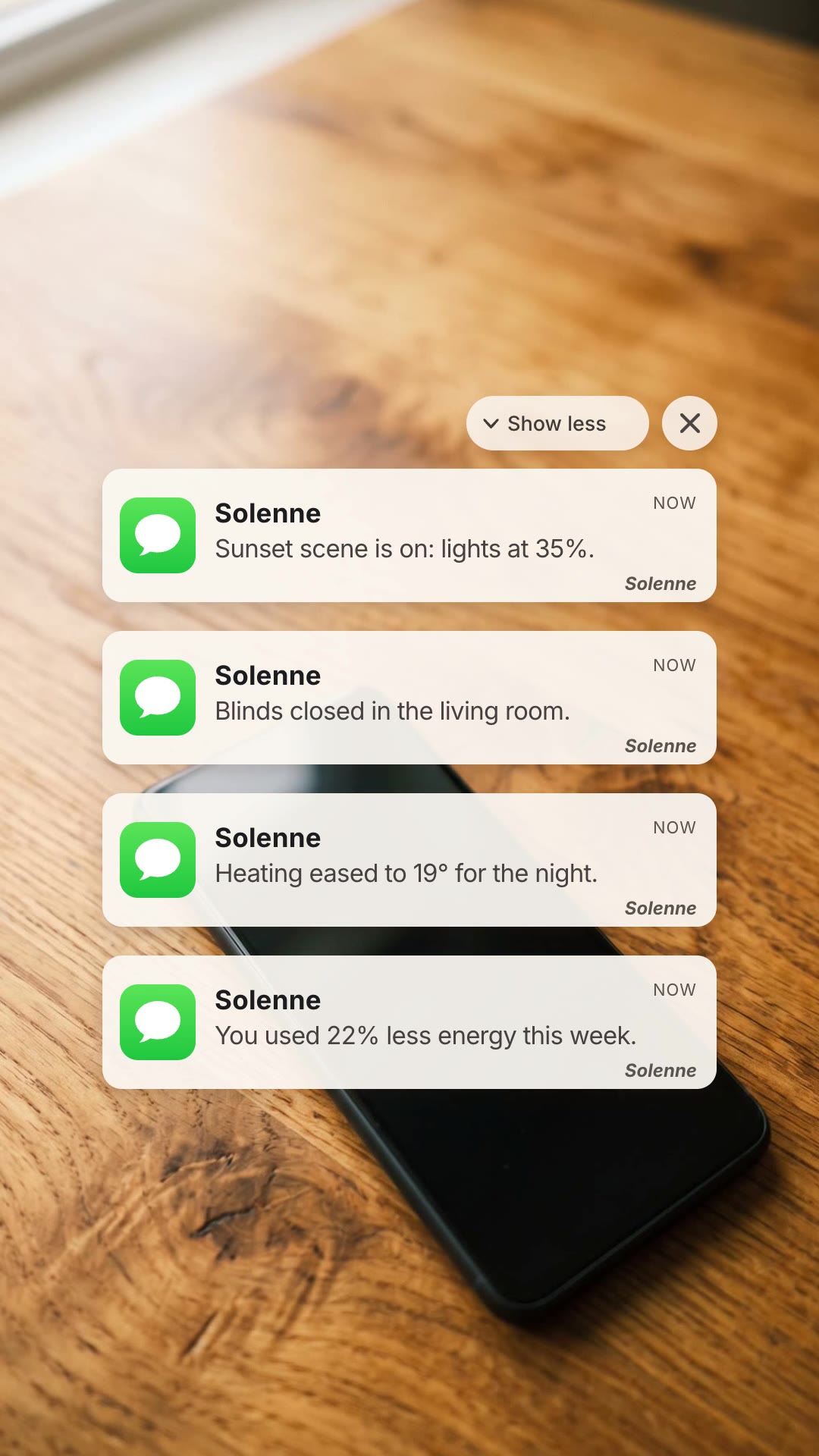
Notification Cascade is a free, open-source HyperFrames block. A phone rests on a desk, your four notifications land and stack up, then it cuts to an end card with your headline, white logo and web address. Ask your agent:
Make a notification cascade ad for Solenne: "Sunset scene is on: lights at 35%.", "Blinds closed in the living room.", "Heating eased to 19° for the night.", "You used 22% less energy this week." Headline "YOUR HOME / ON CUE", footer solenne.home.It renders a 14-second 1080×1920 MP4 for Stories, Reels and Shorts.
For a question-and-answer format, see AI Chat Recommendation Ad.