guide
How to make Black Friday video ads that convert (the offer-first format)
Lead with the deal, prove it product by product, and keep the "was" price honest. A beat-by-beat recipe for TikTok, Reels and Meta.
Oct 26, 2026 · 5 min read
Black Friday ads compete with every other brand's Black Friday ads, in the same week, in the same feed. The ones that work don't open with a logo or a mood. They open with the deal. This guide covers the format paid-social teams lean on most for sales — offer-first — and how to build one that is fast to make, easy to localize and honest enough to keep you out of trouble.
What an offer-first ad is
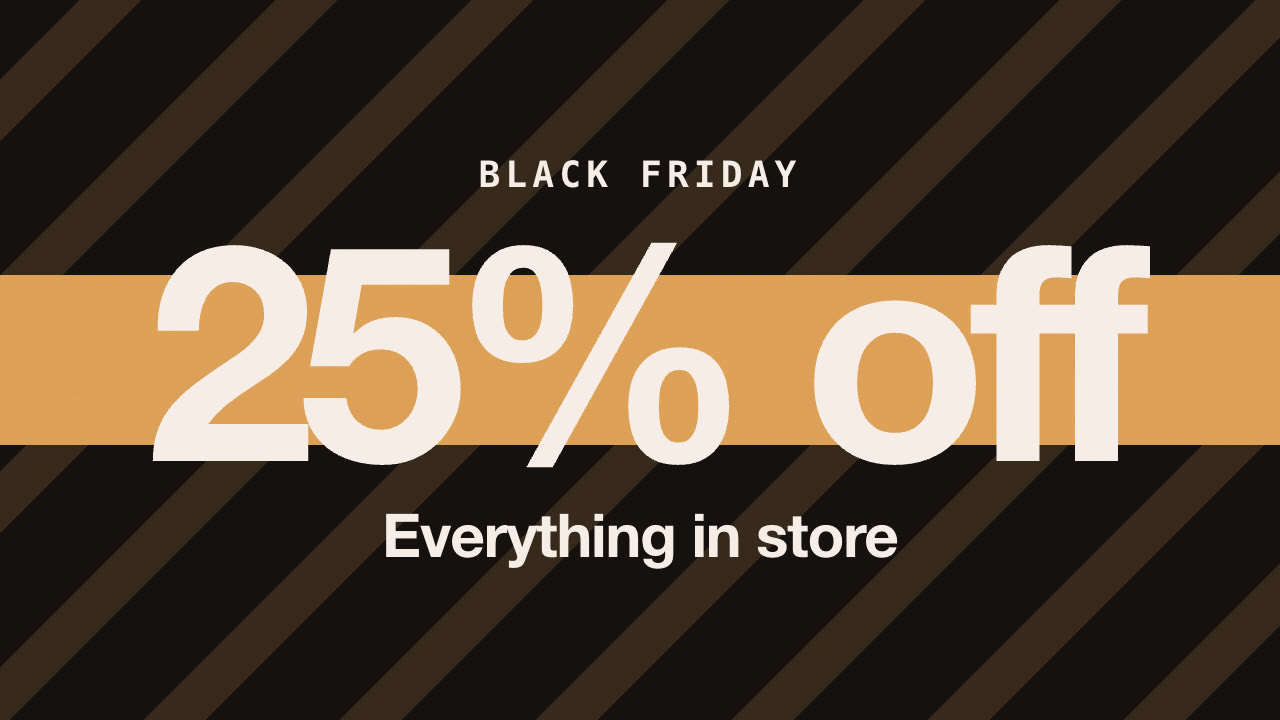
An offer-first ad puts the discount on screen before anything else: "25% off" fills the frame in the first second, and the rest of the ad proves the offer is real. It answers the only question a scrolling shopper has — what's the deal? — before they decide to keep scrolling.
It is also where ad budgets go. In Motion's 2026 analysis of Meta ads, the "offer-first banner" format made up about 22% of creatives but took about 29% of spend, the largest share of any format, and 8.6% of those creatives became winners (at least ten times the account's median spend). Treat vendor numbers with care, but the direction is clear: when there is a real offer, leading with it works.
The five beats
A good offer-first sale ad runs 10–15 seconds and has five beats. Timings below are for a three-product ad.
| Beat | Time | What's on screen |
|---|---|---|
| Hook | 0–2 s | The discount, huge. The occasion above it ("Black Friday"), what's covered below ("Everything in store"). |
| Products | 2–8 s | One beat per product: the product, its regular price struck through, the sale price popping in, a "Save $10" sticker. |
| Proof (optional) | 1.5 s | A rating and review count you can verify. |
| Urgency | 1.5 s | The end date and the promo code, if there is one. |
| End card | 2–2.5 s | Brand, the offer again, a CTA button, the URL. |
Two details make a big difference:
- A ticker. A strip that repeats the offer, end date and code across the top of the frame means viewers who arrive mid-ad still get the deal.
- Real prices on screen. "Was $40, now $30" is more persuasive than "25% off" alone, because it is concrete. It is also the part that has to be true (more on that below).
Writing the copy
Keep each element short enough to read at a glance:
- Headline — the discount, in one to four words: "25% off", "Up to 40% off", "Buy one, get one". This is your hook; don't decorate it.
- Kicker — the occasion in one or two words: "Black Friday", "Cyber Monday", "Final weekend".
- Sub-line — what the offer covers, under eight words: "Everything in store", "All bottles and mugs".
- CTA — two or three words that say what happens next: "Shop the sale", "Get 25% off".
If you are testing hooks, keep everything else identical and change only the headline or kicker — our guide to short-form ad hooks covers how to test them fairly.
Keep the "was" price honest
Crossed-out prices are regulated, and Black Friday is when regulators look.
- United States. The FTC's Guides Against Deceptive Pricing say a former price is only a fair comparison if the product was openly and actively sold at that price, in good faith, for a reasonably substantial period. Inflating the regular price to make the discount look bigger is the classic violation.
- European Union. Since the Omnibus Directive, any announced price reduction must show the prior price, defined as the lowest price you charged in at least the 30 days before the reduction (Price Indication Directive, Article 6a). In 2024 the EU Court of Justice confirmed in the ALDI Süd case that percentage discounts and "price highlight" claims must also be calculated from that price. If you ran a promotion three weeks ago, that promotional price is your reference.
- Everywhere. The headline must match what shoppers get. If products have different discounts, say "up to" the deepest one, and make sure at least one product actually reaches it.
Platforms enforce this too: misleading pricing claims can get ads rejected and accounts flagged. Check every product's discount against its prices before you render, not after the ad is live.
Make it local, not just translated
One global English ad leaves money on the table in other markets. Adapt three things:
- The occasion. Black Friday now runs across the US, UK, Europe, Brazil, Japan and Korea, but in China and much of East Asia the big day is 11.11 Singles' Day. Run the event your market actually shops.
- How discounts are written. Mainland Chinese shoppers read 25% off as "7.5 折" (you pay 75%); Taiwan writes "75 折". French and German put a space before the percent sign ("−25 %"). Brazilian retail commonly writes "25% OFF" in English.
- Prices, currency and dates. Show local currency and the local date format — "Mon, Nov 30" in the US, "30 nov." in France, "11月30日(月)" in Japan. Never just convert a dollar price; use the price you actually charge in that market.
For the broader workflow — glossaries, adaptation and native review — see how to localize a video campaign for nine markets.
Sizes for every placement
Render the same ad in the ratios your placements need, and keep text out of the platform's interface:
- 9:16 for TikTok, Reels, Stories and Shorts. Keep the offer clear of the top ~12% and bottom ~22% of the frame, where captions and buttons sit — check a frame with the safe-zone checker.
- 4:5 or 1:1 for Facebook and Instagram feeds.
- 16:9 for YouTube in-stream and the web.
Exact sizes and length limits per platform: TikTok, Instagram, Facebook, YouTube.
A checklist before you launch
- The discount is on screen within the first second.
- Every product's discount matches the headline, or the headline says "up to".
- Each "was" price is a genuine former price (and, in the EU, the lowest of the last 30 days).
- Ratings or review counts are real and current, or left out.
- The end date and code are correct for each market's time zone.
- Currency, discount notation and dates are local in every version.
- Text stays inside the safe zone in 9:16.
- Files are named by market and format (sale-de-9x16.mp4) so they drop straight into your ads manager.
Make one with an AI agent
The Seasonal Sale Burst Skill builds this exact format. Give your agent the offer, your products and their regular and sale prices; it checks the discount against the prices, writes the copy for your approval, and renders 9:16, 4:5, 1:1 and 16:9 MP4s on your own machine — with local currency, dates and occasions for each market. It's included in Reelity Premium or $2.99 on its own, and every sample on its page was rendered by the Skill itself.
Skills in this guide
