Free
guide
A product rising out of the dark into a spotlight, then the name — the launch-day classic. How to structure it, prepare your product photo, and render it with Claude Opus 5.5.
Oct 27, 2026 · 2 min read
The product reveal is the shot every launch keynote ends on: darkness, a spotlight, the product rising into view, a glint of light across it, then the name. It's short, dramatic and works for anything from a water bottle to an app icon. And you don't need a 3D model or a studio to make one — a good product photo is enough.
A reveal runs about five seconds:
It isn't the right format for showing a product in use or walking through features — pair it with spec callouts or a screenshot showcase for that.
Keep claims true: the sub line is a product claim and must hold up.
The free Product Reveal Skill renders this locally. Install it and ask:
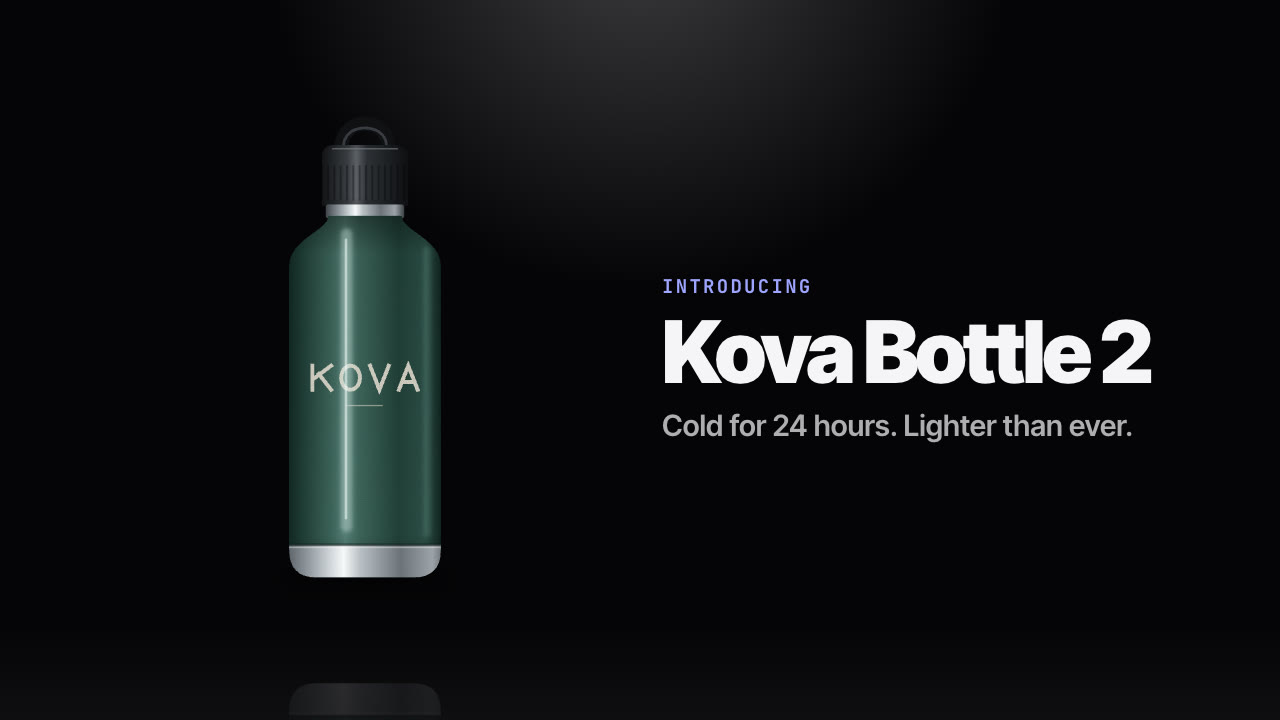
Make a product reveal for bottle.png: kicker "Introducing", headline "Kova Bottle 2", sub line "Cold for 24 hours. Lighter than ever." 16:9 and 9:16.
Your agent confirms the copy, validates the image and renders the MP4s in seconds — the 16:9 version puts the name beside the product, the 9:16 version below it. See how Opus 5.5 video generation works if you're new to agent-made video.
Do I need a 3D model? No. One product photo is enough.
Can I change the colours? Yes — the background, text and accent (used for the kicker) are all settable.