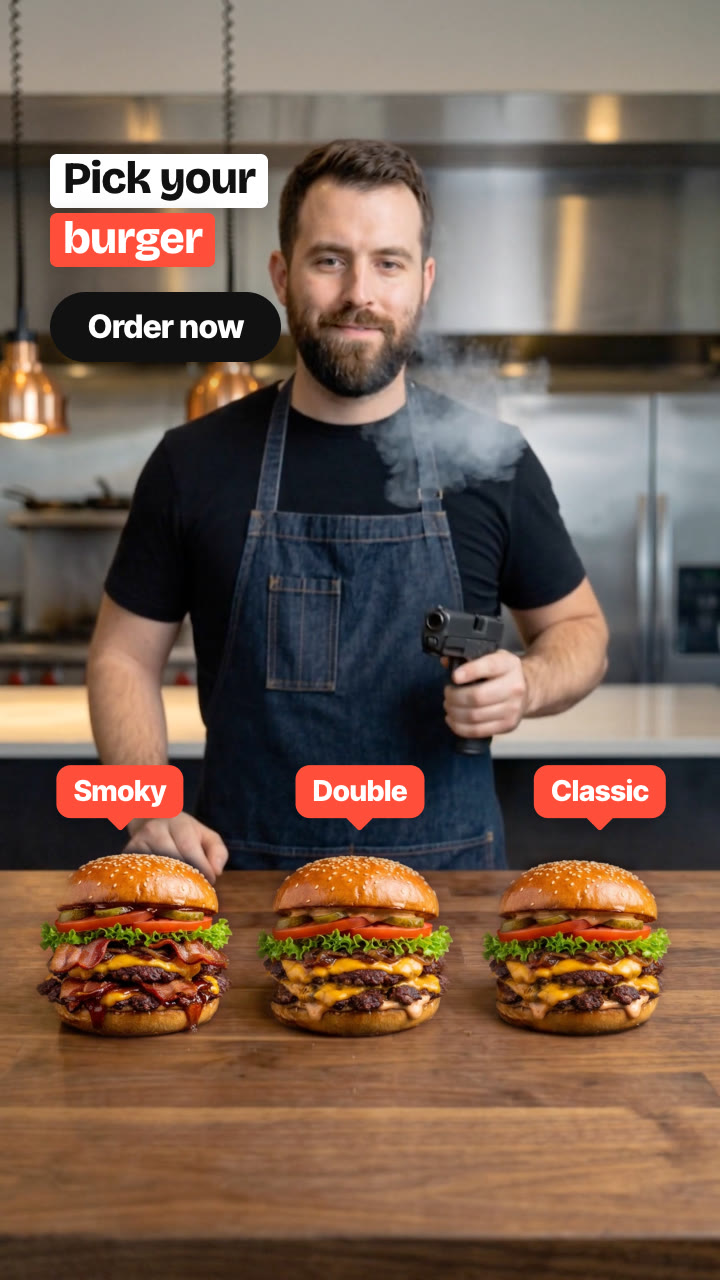
Someone racks a real pistol or shotgun and fires three quick shots at three plain items on a table; each one turns into your finished product the instant it's hit, with a gunshot on every reveal. Made from one product photo.
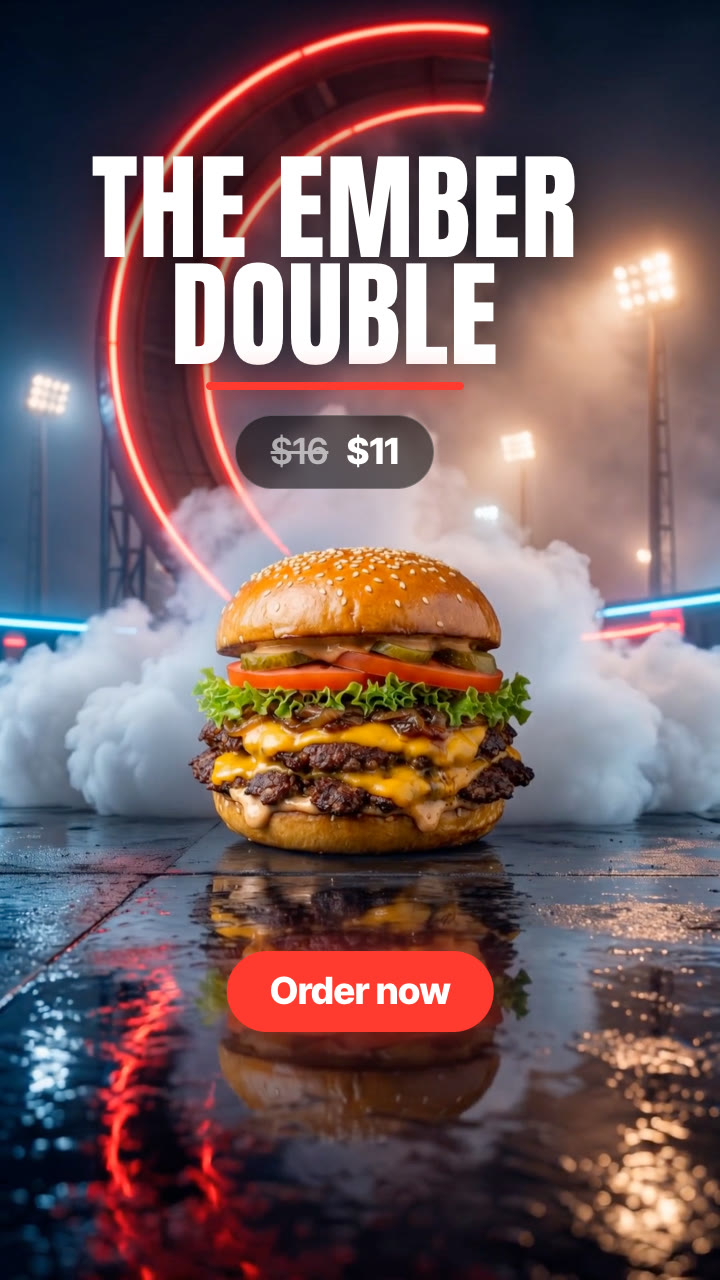
Give it your product and its "before" (an empty bun, a pile of shards, a blank). It makes a short vertical ad from the viral bang-bang trend: a chef or a shooter racks a real gun and fires three fast shots, left, middle, right, and each item on the table snaps into the finished product with an impact flash, a gunshot and its label; then your caption and CTA. Several products play back to back.
/bang-bang-reveal Make a bang bang reveal for our Ember & Bun burgers: a chef with a pistol in a restaurant kitchen, three empty buns that turn into Smoky, Double and Classic, caption "Pick your burger", CTA "Order now".
A chef behind a walnut counter racks a pistol. Three empty buns sit in a row in front of him. Bang, bang, bang: three fast shots, left, middle, right, and each bun turns into a finished burger the instant it's hit, with an impact flash, a recoil shake, its label popping up and a sharp gunshot on the soundtrack. He lowers the pistol and blows the smoke off the muzzle as your CTA lands. The same move works with anything that has a before and an after: shattered plates that snap back whole at a shooting range, blanks that become your colourways, empty glasses that fill with your drinks.
How it works
Brief: your agent asks only for what's missing: a photo of the finished product (or three: flavours, colours or variants) or a short description of each, what the "before" item is (an empty bun, a pile of shards, a blank), who fires and where (a chef in a kitchen, a shooter at a range), pistol or shotgun, a label per item, a caption and a CTA. You also need an API key for the two models it calls, Nano Banana 2 and Kling 2.5 Turbo; each product costs about $0.67 in model usage.
Keyframes: it makes the scene with three "before" items, then the same photo with each item finished in turn, and shows them to you before spending more.
Motion: Kling 2.5 Turbo animates the person racking the gun and firing three shots; the finished items are cut out to land exactly on the "before" items.
Gunshots, reveals, labels and CTA: the rack and a gunshot on every reveal are generated for your timing, and everything is rendered on your machine in any language, for 9:16, 4:5 or 1:1.
Tips
Pick a "before" that looks nothing like the finished product: the bigger the change, the harder each shot lands.
Check all four keyframes before the video step: the scene with three "before" items, then each item finished in turn. Keyframes cost about $0.32, the video about $0.35.
Time each reveal on a muzzle flash; the finish step lists them. If the shots in the clip run right to left, mirror it.
Keep the gun and hands clear of the items in the first keyframe, so every reveal lands cleanly.
The rack and the gunshots are made for your timing; mix in a track you're licensed to use underneath, or add the trending sound in the app.
What you need before you start
You bring
A photo of the finished product (or three: flavours, colours or variants) or a short description of each, what the "before" item is (an empty bun, a pile of shards, a blank), who fires and where (a chef in a kitchen, a shooter at a range), pistol or shotgun, a label per item, a caption and a CTA. You also need an API key for the two models it calls, Nano Banana 2 and Kling 2.5 Turbo; each product costs about $0.67 in model usage.
Dependencies
Node.js 20 or newer — required · Google Chrome (or CHROME_PATH) — required · An API key for Nano Banana 2 and Kling 2.5 Turbo — required · FFmpeg — bundled via ffmpeg-static after npm install
Outside costs
Model usage, billed to your own API key: about $0.32 for the four Nano Banana 2 keyframes and $0.35 for one 5-second Kling 2.5 Turbo clip, so about $0.67 per product (October 2026 prices). The cut-outs, gunshots, labels, caption, CTA and the final MP4 are made free on your machine.
Last tested
v1.0.0 —
User reviews
No reviews yet. Install the Skill and be the first to rate it.
FAQ
What do I need besides the product photo?
An API key for the two models the Skill calls: Nano Banana 2 for the four keyframes and Kling 2.5 Turbo for the motion. You set it in your own terminal, and the Skill's setup step shows where to get it. Model usage is billed to your key: about $0.67 per product at October 2026 prices.
Does my product stay the same?
The finished items are edited in from your photo and keep its shape, colours and details, and your agent shows you the keyframes before the video step. If one drifts, run that step again before making the video.
Is there sound?
Yes. A slide rack or shotgun pump, then a gunshot on every reveal, generated from scratch to match your timing, so there's nothing to license.
Does it only work for burgers?
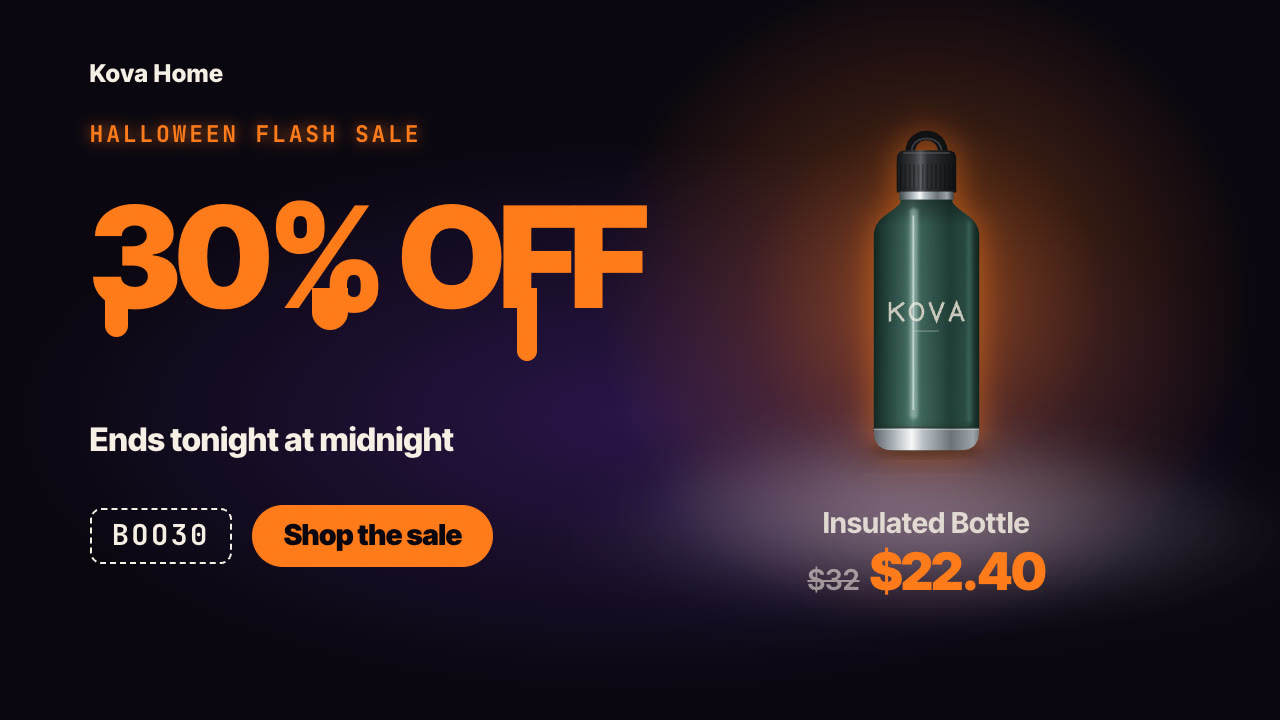
No. Anything with a before and an after works. The samples include handmade plates that snap back whole from their shards, and the same move works for colourways, flavours or refills.