Every Premium video Skill, one plan. Cancel anytime.See plans
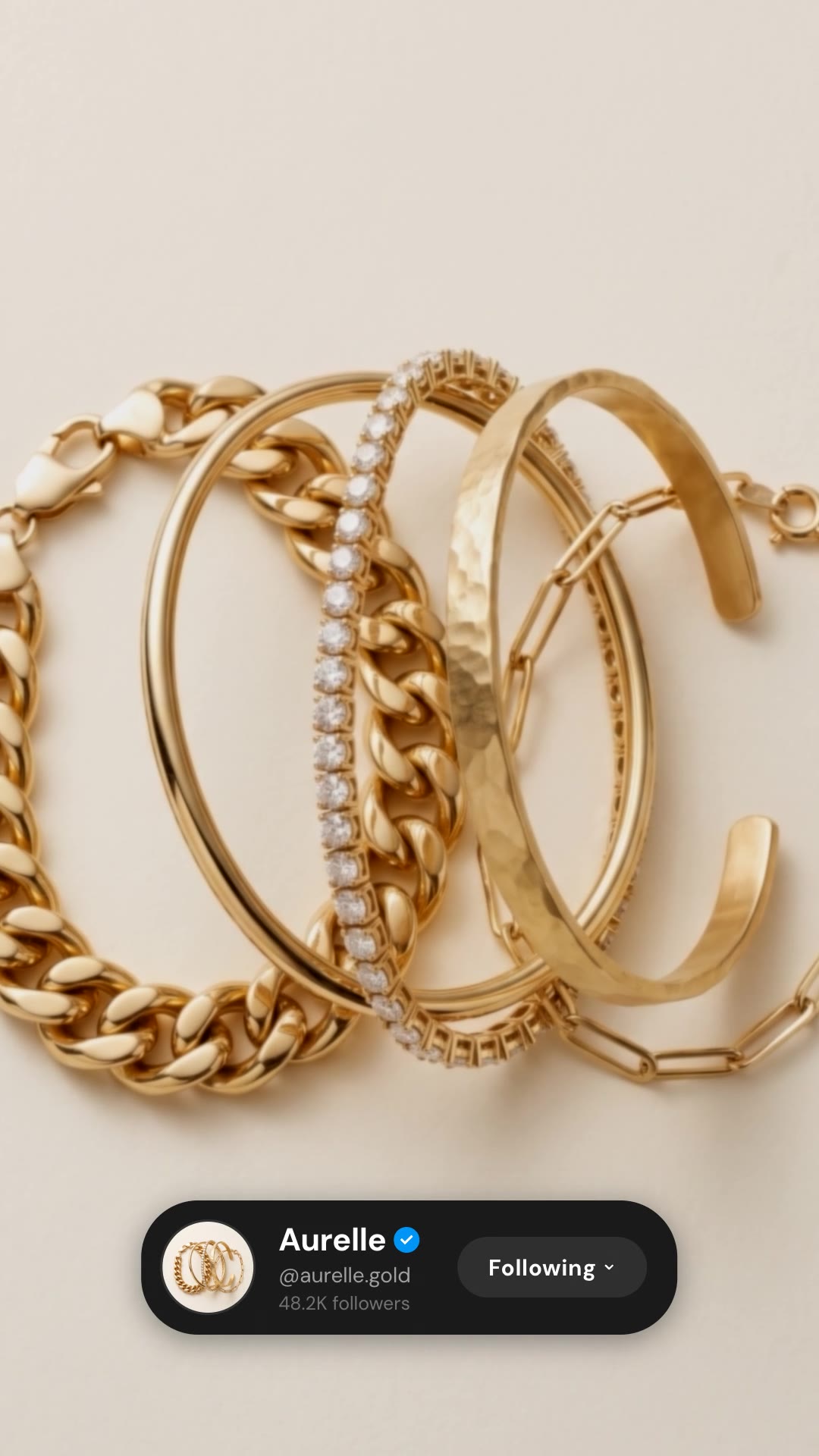
Aurelle · 9:16

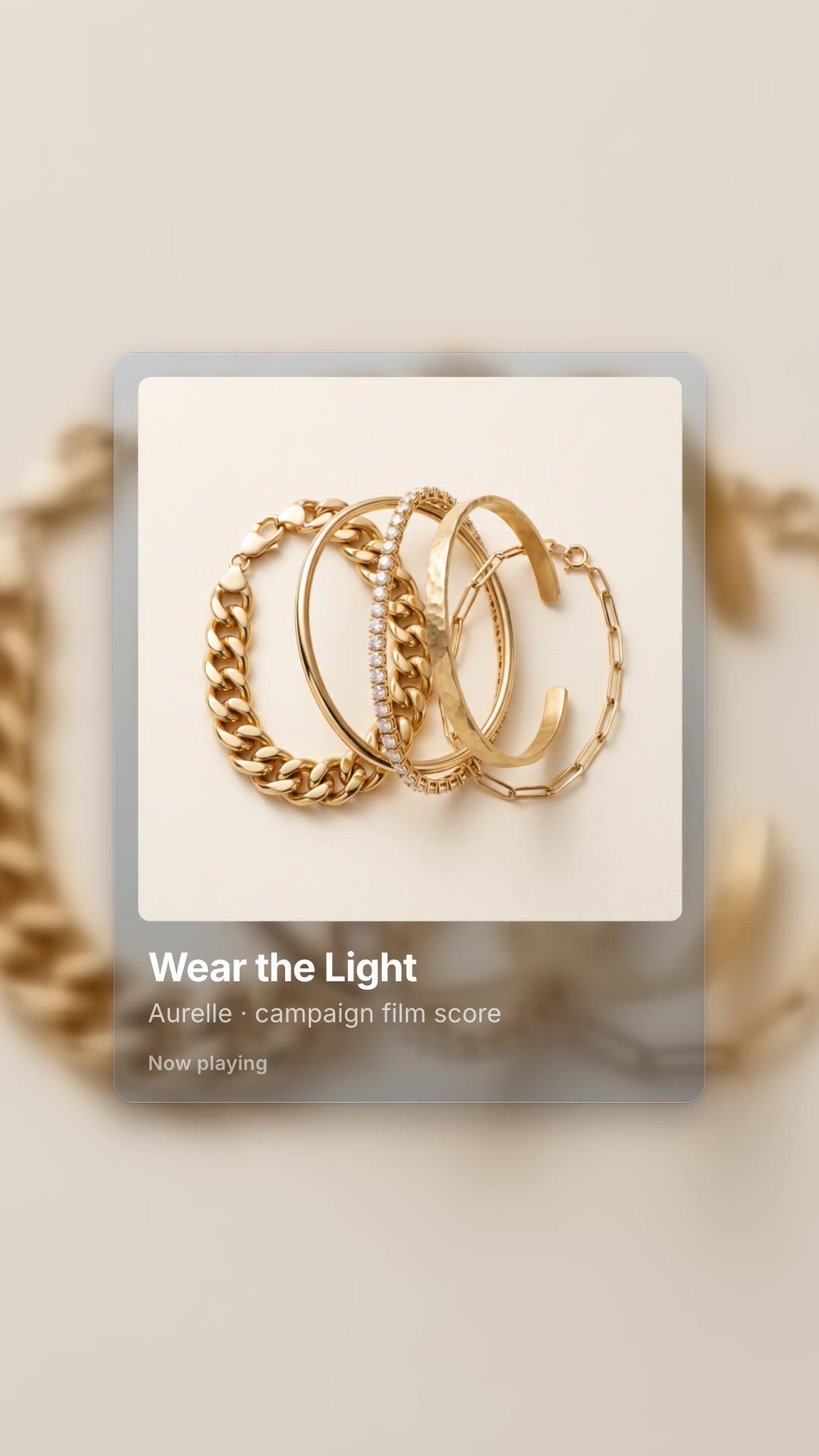
Rendered by this Skill

Now Playing Card v1.0.0

A Spotify-style now-playing card with your artwork, track name and a moving progress bar, ready to lay over a vertical video.

No ratings yet 0 downloads
Format
Short-form · 9:16
Length
0:05

Free Free with an account

Sign in to download

Paste this into your agent. It connects the CLI if needed, then installs the Skill.

A free HyperFrames block for a 5-second 9:16 overlay. A frosted music card rises with large square artwork, a track title, an artist line and a progress bar that plays forward, then fades. Track, artist and artwork are edited in the HTML; the background is transparent for layering.

Updated Nov 3, 2026

What you get

  • A 5-second 1080×1920 card overlay with a transparent background
  • Artwork, title, artist and an animated progress bar
  • Instructions for layering it over your footage

Good fit

  • Campaign soundtracks and playlists
  • Podcast and music promos
  • Stories and Reels

Not for

  • Horizontal videos
  • Long music videos

About this Skill

You say

/spotify-card Make a now playing card for Aurelle's campaign track "Wear the Light", with the bracelet stack as artwork, over our bracelet shot.

Music cards say "this is the soundtrack" instantly. Now Playing Card puts your campaign track, playlist or podcast episode on a clean, animated card, with your artwork, so a vertical video can credit or promote the sound.

How it works

  1. Ask: tell your agent the track title, the artist line, the artwork and the shot it should sit over.
  2. Fill: it writes your copy and colours into the block's variables, keeping text close to the length the layout was made for.
  3. Render: it renders a draft with npx hyperframes render, checks a few frames and renders the final MP4.
  4. Reuse: the variables live in one small JSON file, so the next version is one more render.

Tips

  • Use square artwork at least 800 px wide.
  • Keep the title to a few words; it is set large.
  • The card has a transparent background, so render it with an alpha channel and lay it over your own footage or photo; the SKILL.md shows the two commands.
  • Our sample replaces the platform logo with a plain "Now playing" label.

Open source

This is a block from the HyperFrames registry, made by HeyGen and the HyperFrames contributors (heygen-com/hyperframes) and shared under the Apache License 2.0. The download is the block with its assets and a SKILL.md written by Reelity, so your agent knows how to fill and render it; HyperFrames itself runs from npm.

What you need before you start

You bring
A track or episode title, an artist line, square artwork and the shot to lay it over.
Dependencies
Node.js 22 or newer — required · FFmpeg — required
Outside costs
None. HyperFrames is free and open source and renders on your own machine.
Last tested
v1.0.0 —

User reviews

No reviews yet. Install the Skill and be the first to rate it.

FAQ

Can I change the colours?

Yes. The card and text colours are plain CSS in the HTML.

Does it show the Spotify logo?

The package keeps the original small logo; our sample swaps it for a "Now playing" label, which your agent can do too.

Why is it free?

It is an open-source HyperFrames block by HeyGen and the HyperFrames contributors. We list it as it is, with a SKILL.md so your agent can use it and a sample made with one of our house brands, Aurelle.

Guides

How to add a now-playing music card to a vertical videoA music card tells viewers what they are hearing and where to find it. How to add a Spotify-style now-playing card with your artwork, free, with the Now Playing Card block.

Similar Skills

View all