The whole picture is black and white until someone rests a hand on your product; on that exact frame, everything snaps into colour. Made from one product photo.
Give it a photo of your product. It makes a short vertical ad from the touch-to-colour trend: a person behind the counter reaches out and rests a gloved hand on your product, and the instant they touch it, the black-and-white scene switches to full colour with a small jolt and a bright ding; then they walk off and your product name, price and CTA come in.
/touch-to-colour Make a touch to colour video for The Ember Double burger: a cook in a burger joint kitchen touches it and the black-and-white scene turns to colour. Caption "Too good for black & white", price $16, CTA "Order now".
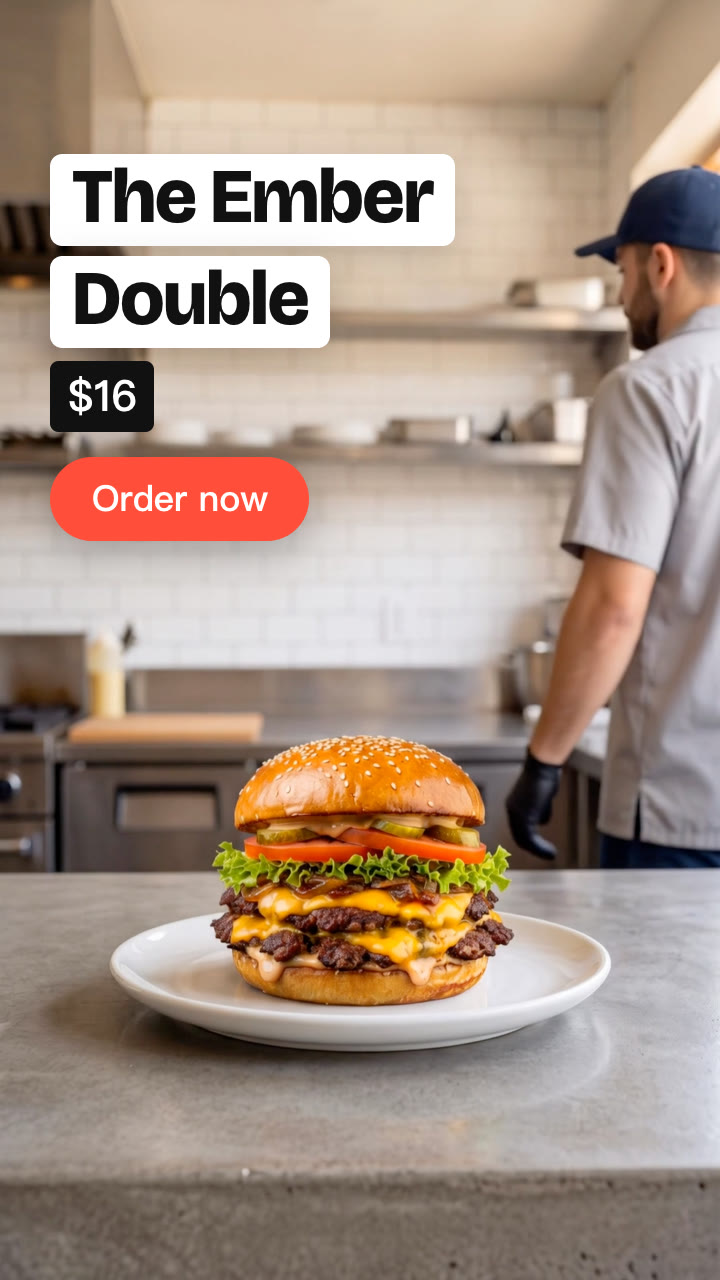
A cook in a navy cap stands behind a concrete counter, a tall double cheeseburger on a white plate in front of him, and the whole picture is black and white. He reaches out and rests his black-gloved palm on the bun. On that exact frame, the scene snaps into full colour, with a quick jolt and a bright ding. He lifts his hand, turns and walks off, and the burger's name, price and "Order now" come in. The switch is timed by the Skill itself, on the frame the hand lands, so it always hits.
How it works
Brief: your agent asks only for what's missing: a clear photo of the product (or a short description of it), who touches it and where (a cook in a burger joint kitchen, a florist at a counter), the product name, a price if you want one, a two-line caption and a CTA. You also need an API key for the two models it calls, Nano Banana 2 and Kling 2.5 Turbo; one video costs about $0.51 in model usage.
Keyframes: it makes the scene with the person behind your product, then the same scene as they walk off, and shows them to you before spending more.
Motion: Kling 2.5 Turbo animates the person resting a hand on the product and walking off; the Skill finds the frame the hand lands.
Colour, sound and text: the black-and-white, the switch to colour on the touch, the ding, the caption, name, price and CTA are rendered on your machine in any language, for 9:16, 4:5 or 1:1.
Tips
The product carries the switch: pick one with real, rich colour, set against a plain, light background.
Check both keyframes before the video step: the person behind the product, then the same scene as they walk off. Keyframes cost about $0.16, the video about $0.35.
Check the touch second against touch.jpg: the colour should come in on the first frame the hand rests on the product.
Keep the caption to two short lines; it sits beside the person's face in the black-and-white part.
The ding is made for your timing; mix in a track you're licensed to use underneath, or add a trending sound in the app.
What you need before you start
You bring
A clear photo of the product (or a short description of it), who touches it and where (a cook in a burger joint kitchen, a florist at a counter), the product name, a price if you want one, a two-line caption and a CTA. You also need an API key for the two models it calls, Nano Banana 2 and Kling 2.5 Turbo; one video costs about $0.51 in model usage.
Dependencies
Node.js 20 or newer — required · Google Chrome (or CHROME_PATH) — required · An API key for Nano Banana 2 and Kling 2.5 Turbo — required · FFmpeg — bundled via ffmpeg-static after npm install
Outside costs
Model usage, billed to your own API key: about $0.16 for the two Nano Banana 2 keyframes and $0.35 for one 5-second Kling 2.5 Turbo clip, so about $0.51 per video (October 2026 prices). The black-and-white, the switch, the sound, the text and the final MP4 are made free on your machine.
Last tested
v1.0.0 —
User reviews
No reviews yet. Install the Skill and be the first to rate it.
FAQ
What do I need besides the product photo?
An API key for the two models the Skill calls: Nano Banana 2 for the two keyframes and Kling 2.5 Turbo for the motion. You set it in your own terminal, and the Skill's setup step shows where to get it. Model usage is billed to your key: about $0.51 per video at October 2026 prices.
Does my product stay the same?
Yes. The keyframes are made from your photo and keep its shape and colours, and your agent shows them to you before the video step. The hand only rests on the product; it doesn't move or change.
Is the switch always on time?
Yes. The black-and-white and the switch to colour are added by the Skill on your machine, on the frame the hand lands, so they never drift from the touch.
Is there sound?
Yes. A soft whoosh as the hand comes in, a bright ding on the switch and light ticks as the name and CTA land, all generated from scratch, so there's nothing to license.