A cursor clicks through a row of ingredients and your product gains one layer per click, then one last click hides them all inside the finished product. Shows off everything that goes into it.
Describe your product layer by layer. It makes a short vertical ad styled as a mini game: a row of ingredient buttons across the top, a cursor clicking them one by one, and on each click the product gains that layer in a single frame, with its name popping up. The last click finishes it, frosting, a lid or a glaze, so every layer disappears inside, and the name, price and CTA come in.
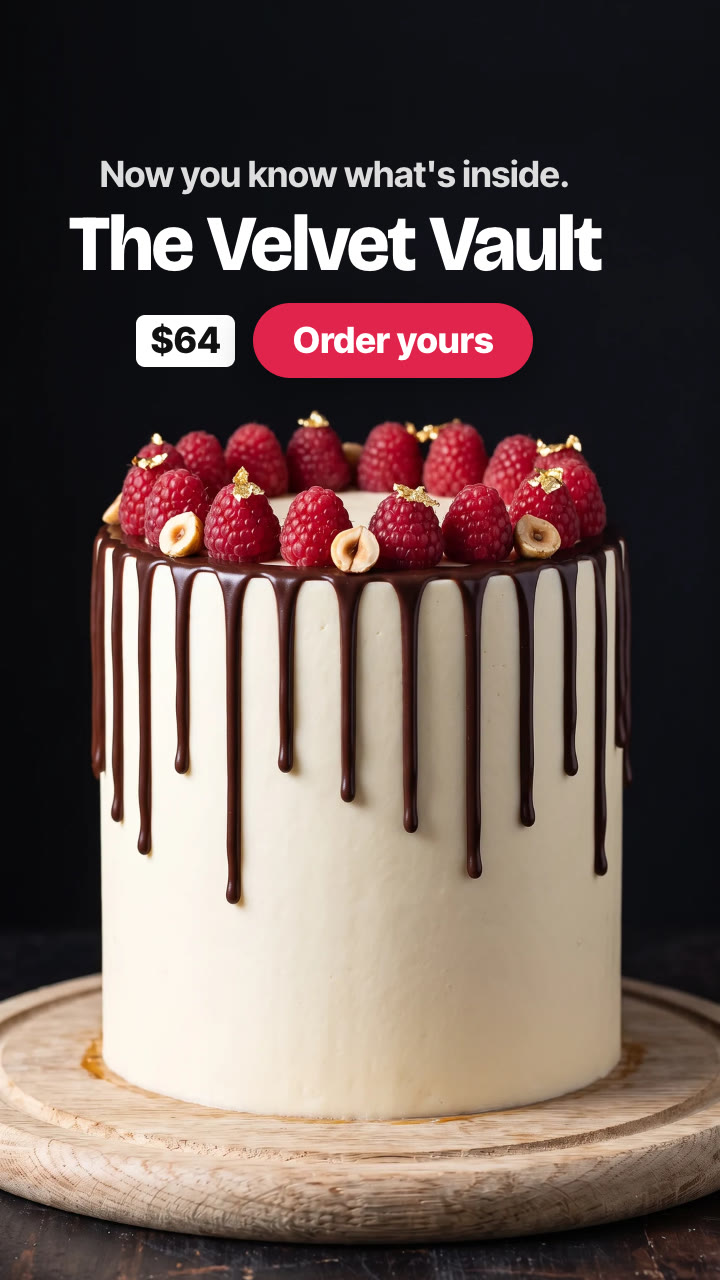
/click-to-layer Make a click to layer video for The Velvet Vault cake: chocolate sponge, salted caramel, hazelnut crunch, fresh raspberries, pistachio cream, chocolate sponge, dark ganache, chocolate sponge, then smooth buttercream with a chocolate drip. Line "Now you know what's inside.", price $64, CTA "Order yours".
A plain chocolate sponge sits on an oak board against a black background, with a row of round ingredient buttons above it. A cursor clicks them one by one: salted caramel, hazelnut crunch, fresh raspberries, pistachio cream, chocolate sponge, dark ganache, chocolate sponge. Each click lands a new layer in one frame, with a click, a soft plop and its name. The last button is a palette knife: one click and the cake is covered in smooth ivory buttercream with a chocolate drip, raspberries and gold leaf, every layer hidden inside. "Now you know what's inside." Then the name, price and CTA.
How it works
Brief: your agent asks only for what's missing: the product and its layers from the bottom up (a short phrase each, like "a glossy layer of salted caramel"), how it's finished (frosting, a lid, a glaze), optionally a photo of the finished product, the name, a price if you want one, a closing line and a CTA. You also need an API key for Nano Banana 2; one video costs about $0.72 in model usage for seven layers.
The full build: Nano Banana 2 makes the product with every layer showing from the side, and your agent shows it to you before spending more.
The stages: every earlier stage is cut from that one photo, with only its new top painted in, so nothing jumps between clicks; then the finished product.
The game, sound and text: the buttons, the cursor, the one-frame layer changes, the clicks and chime, the layer names, the closing line, name, price and CTA are rendered on your machine in any language, for 9:16, 4:5 or 1:1.
Tips
Pick layers that look different from the side: colour and texture are what make each click land.
Five to seven layers is the sweet spot; at 0.8 seconds a click, the build takes about six seconds.
Make the finish hide everything: the switch from all the layers to a clean, finished product is the payoff.
Every stage is cut from one photo of the full build, so check that photo carefully before making the stages: every layer has to look right there.
The clicks and plops are made for your timing; mix in a track you're licensed to use underneath, or add a trending sound in the app.
What you need before you start
You bring
The product and its layers from the bottom up (a short phrase each, like "a glossy layer of salted caramel"), how it's finished (frosting, a lid, a glaze), optionally a photo of the finished product, the name, a price if you want one, a closing line and a CTA. You also need an API key for Nano Banana 2; one video costs about $0.72 in model usage for seven layers.
Dependencies
Node.js 20 or newer — required · Google Chrome (or CHROME_PATH) — required · An API key for Nano Banana 2 — required · FFmpeg — bundled via ffmpeg-static after npm install
Outside costs
Model usage, billed to your own API key: about $0.08 per Nano Banana 2 still, one for the full build, one for each earlier stage and one for the finish, so about $0.72 for seven layers, less when a layer repeats the top one (October 2026 prices). The buttons, the cursor, the sound, the text and the final MP4 are made free on your machine.
Last tested
v1.0.0 —
User reviews
No reviews yet. Install the Skill and be the first to rate it.
FAQ
What do I need?
A list of your product's layers and an API key for Nano Banana 2, the image model the Skill calls. You set the key in your own terminal, and the Skill's setup step shows where to get it. Model usage is billed to your key: about $0.72 per video for seven layers at October 2026 prices.
Does it work with my real product?
Yes. Give it a photo of the finished product and the stills follow it; your agent shows you the full build before it makes the stages.
Does the product jump around between clicks?
No. Every stage is cut from one photo of the full build, so the board, the light and the layers below never move; only the new top changes.
Is there sound?
Yes. A mouse click and a soft plop on every layer, a palette-knife swipe and a chime on the finish and ticks for the text, all generated from scratch, so there's nothing to license.