Every Premium video Skill, one plan. Cancel anytime.See plans
Solenne · 16:9

Rendered by this Skill

Liquid Glass Notifications v1.0.0

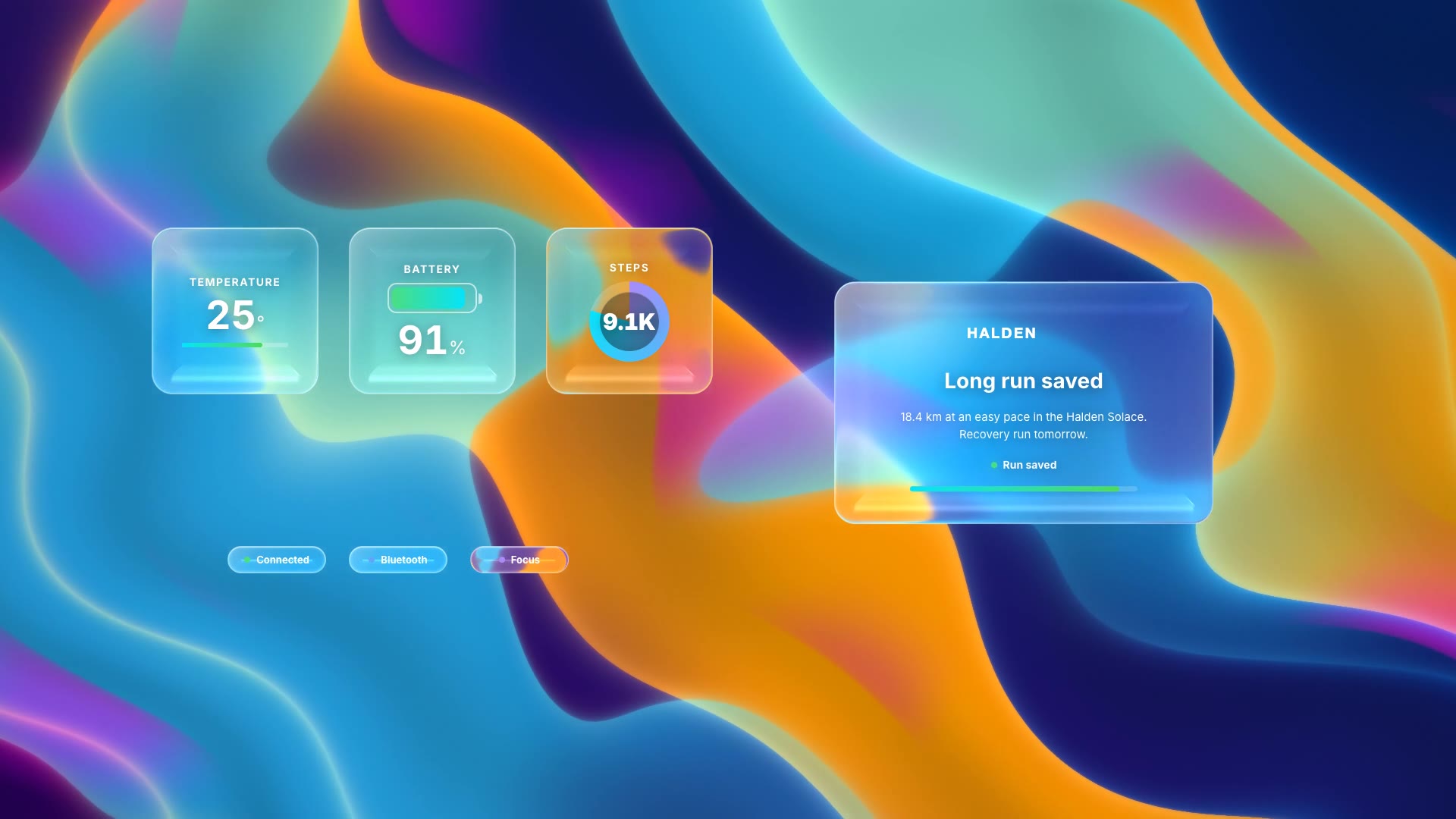
Frosted liquid-glass notification cards float in over a flowing aurora background, one with live progress and one with a reply.

No ratings yet 0 downloads
Format
Video · 16:9
Length
0:08

Free Free with an account

Sign in to download

Paste this into your agent. It connects the CLI if needed, then installs the Skill.

A free HyperFrames block for 8 seconds of liquid-glass UI. Two frosted notification cards drift in over a moving aurora shader: one shows a task in progress that completes, the other a message with typing dots and Reply and Mark Read chips, with your logo in the corner. The text, status messages and logo are edited in the HTML.

Updated Nov 3, 2026

What you get

  • An 8-second 1920×1080 MP4 with a live aurora background
  • Two frosted notification cards with progress and reply states
  • Your logo in the corner

Good fit

  • App launches and feature reveals
  • Product videos with a modern OS feel
  • Backgrounds for keynote slides

Not for

  • Plain or brand-coloured backgrounds
  • Long messages

About this Skill

You say

/liquid-glass-notification Make liquid glass notifications for Solenne: a "Sunset scene" card dimming the living room that finishes with "Evening wind-down is on", and a message from Ines asking to warm up the bedroom.

Liquid glass is the look of current operating systems: frosted, refractive, alive. Liquid Glass Notifications puts your product's notifications in that style over a flowing aurora, so an update, an order or a message feels native and premium at once.

How it works

  1. Ask: tell your agent what the first card is doing and what it says when done, the message in the second card, and your logo.
  2. Fill: it writes your copy and colours into the block's variables, keeping text close to the length the layout was made for.
  3. Render: it renders a draft with npx hyperframes render, checks a few frames and renders the final MP4.
  4. Reuse: the variables live in one small JSON file, so the next version is one more render.

Tips

  • Use a white logo; it sits on the colourful background.
  • Write the progress card as something happening right now.
  • Keep each card to one short line.
  • It has no variables: your agent edits the text and numbers directly in the HTML, following the SKILL.md.

Open source

This is a block from the HyperFrames registry, made by HeyGen and the HyperFrames contributors (heygen-com/hyperframes) and shared under the Apache License 2.0. The download is the block with its assets and a SKILL.md written by Reelity, so your agent knows how to fill and render it; HyperFrames itself runs from npm.

What you need before you start

You bring
Two short notification texts, a finishing status and a white logo.
Dependencies
Node.js 22 or newer — required · FFmpeg — required
Outside costs
None. HyperFrames is free and open source and renders on your own machine.
Last tested
v1.0.0 —

User reviews

No reviews yet. Install the Skill and be the first to rate it.

FAQ

Can I change the aurora colours?

The shader colours are set in the script; your agent can tune them to your palette.

Is the glass effect real or a picture?

Real: it is rendered live with a liquid-glass library, so it refracts the moving background.

Why is it free?

It is an open-source HyperFrames block by HeyGen and the HyperFrames contributors. We list it as it is, with a SKILL.md so your agent can use it and a sample made with one of our house brands, Solenne.
Guides

How to add an animated desktop notification to a product demoA notification is proof that your product did something. How to animate a macOS-style banner over a screen recording, free, with the Desktop Notification block.How to make liquid glass notifications for an app videoFrosted, refractive liquid glass is the look of current operating systems. How to show your app's notifications in that style over a flowing aurora, free, with the Liquid Glass Notifications block.How to show your app's stats as liquid glass widgetsGlanceable widgets are how people read their data. How to animate a small liquid-glass dashboard with counting stats, free, with the Liquid Glass Widgets block.

Similar Skills

View all